Graphical User Interface (GUI)
TensorHEOM provides an optional graphical user interface built with CustomTkinter. The GUI is designed for users who prefer an interactive workflow without writing code.
Launching the GUI
from ttheom import TensorHeomApp

TensorHeomApp().mainloop()
Or from the command line after installing the package:
python -c "from ttheom import TensorHeomApp; TensorHeomApp().mainloop()"
Main window
The main window provides input fields for all simulation parameters: qubit frequencies, initial state, bath parameters, numerical settings, and the output file name.
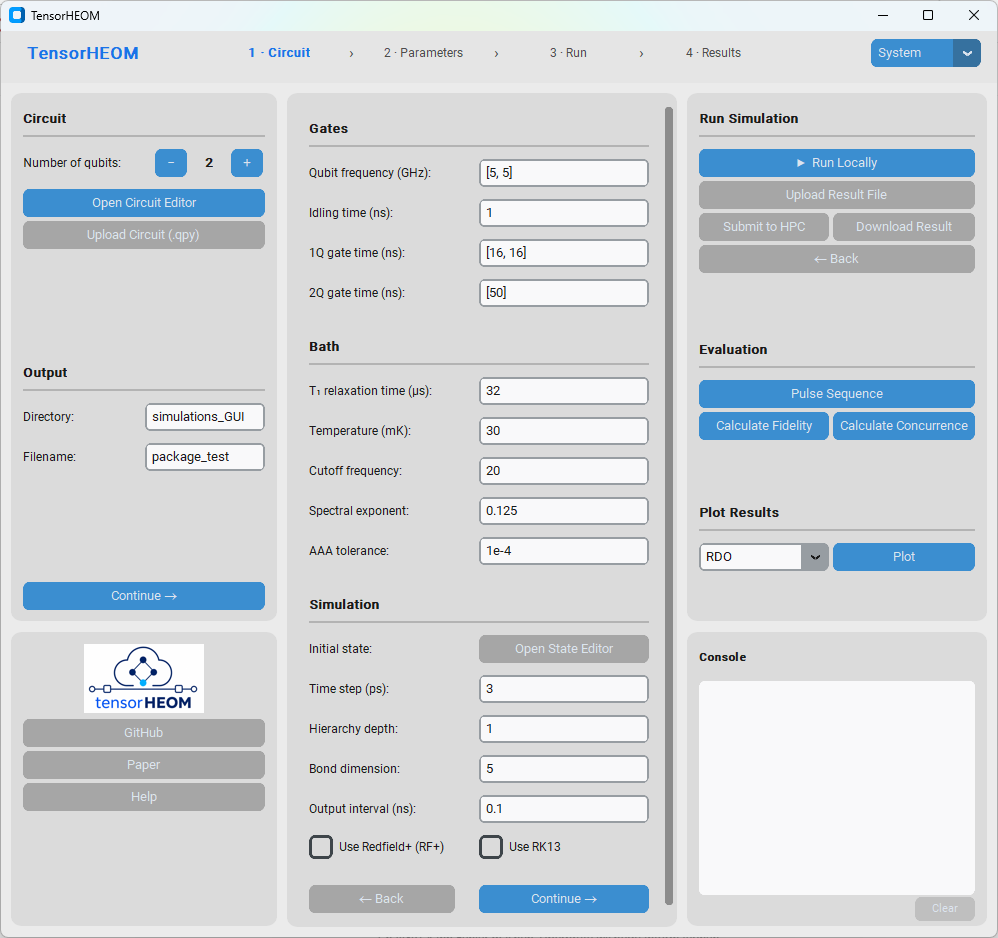
Main window showing system, bath, and simulation parameter fields.
Quantum circuit editor
The circuit editor window integrates with Qiskit to let you build and visualise quantum circuits graphically. Gates can be added via drop-down menus and the resulting Qiskit circuit is passed directly to the simulation engine.
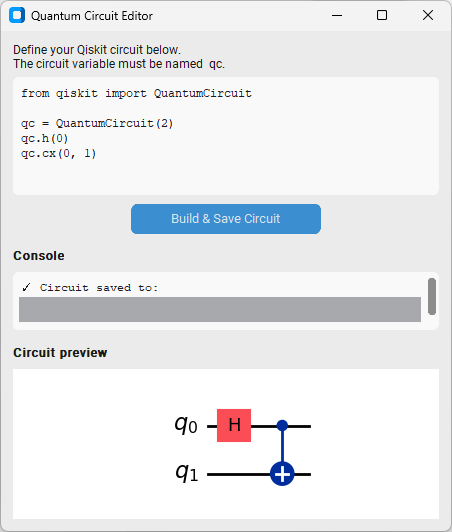
Quantum circuit editor with Qiskit circuit visualization.
Results viewer
Once a simulation completes, the results viewer displays the time-evolved reduced density matrix elements and derived quantities such as concurrence.
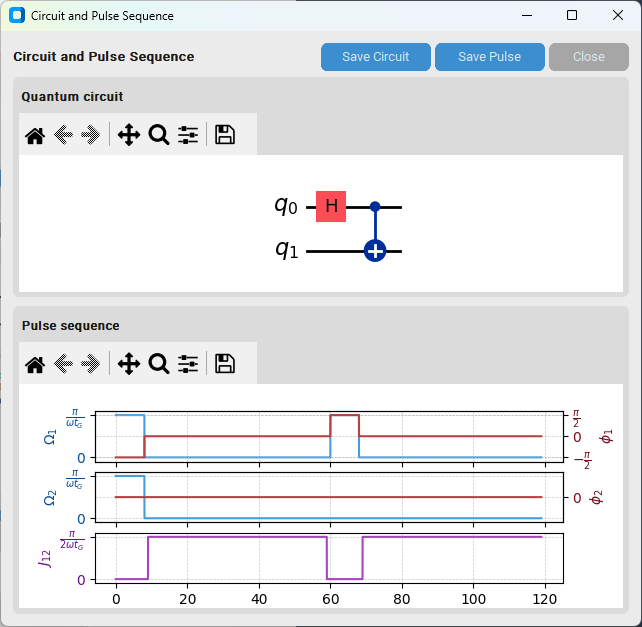
Results viewer showing the conversion from the given quantum circuit to a pulse sequence.